Get started
Download the app
Last verified: October 4, 2026Once your invitation is ready, SAGE sends a text message to the phone number on your invitation. For a resident it reads like this: “[Your community] now uses the Sage app for gate access. Download it to set up your account: https://sagesystems.io/app”. The wording is a little different for tenants, guests and staff. If your invitation includes an email address, you get an invitation email too.
If you registered through your community’s enrollment page, the text arrives after management approves your registration.
Get the app
- Tap the link in the text - Use it to get the SAGE app for iPhone or Android.
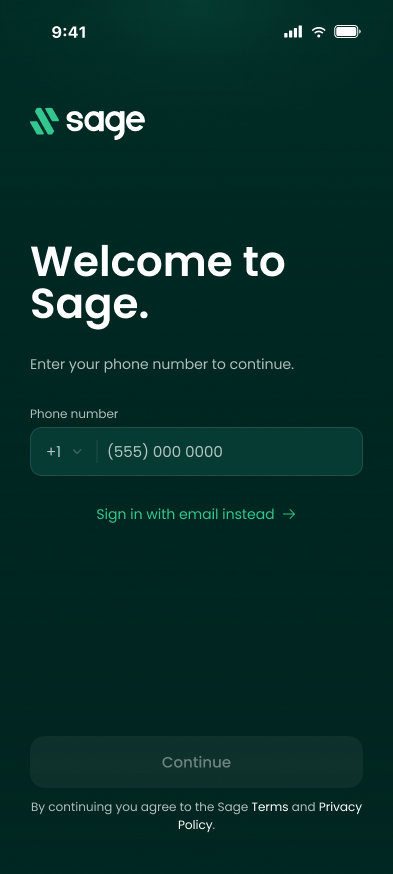
- Open the app - You’ll see Welcome to Sage. and a field for your phone number.
- Set up your account - Enter the same phone number the text came to. See Set up your account.
Already had the SAGE app? - The new app replaces the old one when you update it. Install updates from the App Store or Google Play as they come out.
Want to use SAGE on the web? - If you can’t install the app, you can create your account and use SAGE in a web browser. Go to sagesystems.io, click Create account, and enter the phone number your invitation was sent to. See Use SAGE on the web.
Need help?
Questions? Contact us at support@sagesystems.io.