Basics
Access control
Last verified: October 3, 2026This guide is for the SAGE app (version 3) and management portal you use today. See the guide for the new apps.
The Access Control page shows the gate hardware set up for your community and how it’s doing. The heading reads Access Control Overview, followed by your community’s name and address.
You need the Org Dashboard permission to see this page.
Tabs
The page opens on the Panels tab. Each tab shows a count of what it holds.
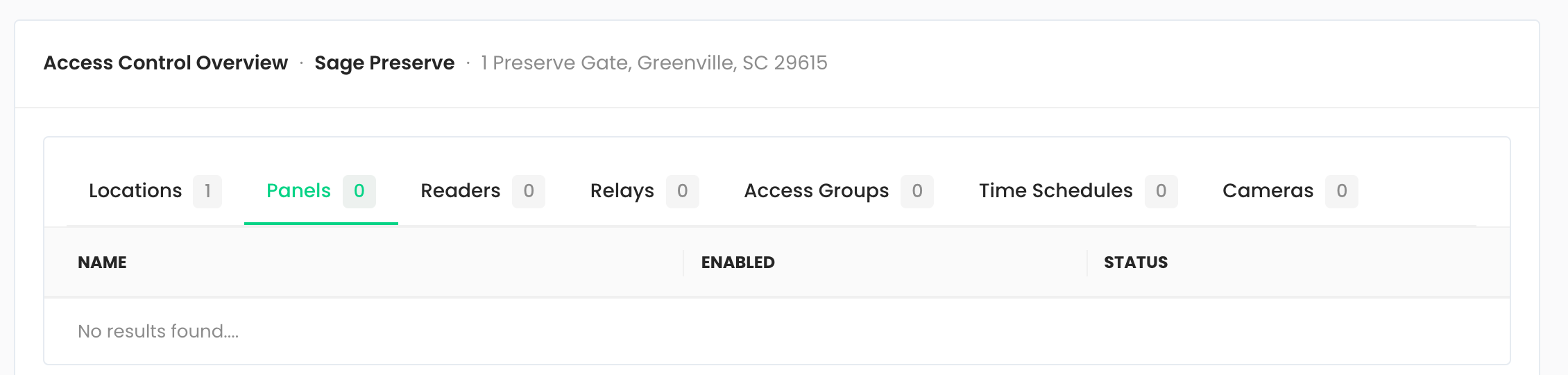
| Tab | What it lists |
|---|---|
| Locations | The named locations set up for your community. |
| Panels | The access control panels at your gates. Enabled shows whether a panel is turned on. Status shows Healthy, Unhealthy, or Connecting while SAGE has no health report for it yet. |
| Readers | The badge readers, which panel each one belongs to, and whether it’s Active or Inactive. |
| Relays | The relays that open gates, and the panel each one belongs to. |
| Access Groups | The access groups used to decide which gates a badge or fob opens. |
| Time Schedules | The schedules that limit when an access group works. |
| Cameras | The cameras set up for your community, with their type and location. |
What you can change
Panels, readers, relays, locations and cameras are set up by SAGE administrators. They are view-only for managers.
Some communities can also add and edit their own Access Groups and Time Schedules. When that’s turned on for your community and you have the Manage Access Control permission, you see Add Access Group and Add Time Schedule buttons on those tabs. Otherwise those tabs are view-only too.
Access group and time schedule editing isn’t available at every community. If you need a change and don’t see the buttons, contact support@sagesystems.io.
Device Health
Below the tabs, Device Health shows a card for each monitored device with a Healthy, Unhealthy or No data label and a bar of its recent checks. Unhealthy devices are listed first, and the top of the section counts how many are healthy and unhealthy.
When a device is unhealthy, the Dashboard also shows a Device health banner with a Check device health button that brings you here.
Need help?
Questions? Contact us at support@sagesystems.io.